Before you download: pick the right cat
"Bongo Cat" is five different things, and installing the wrong one is the most common mistake. If you want the desktop pet with Live2D models that this wiki focuses on, you want BongoCat by vladelaina. If you actually want the free Steam game with item drops, see the versions explainer first and then jump to the Steam section below.
Windows
Two official channels, both fine:
- Microsoft Store: search the store for BongoCat, or open the store listing directly with the product id
9p41mlsx72xw. Store installs update automatically. - GitHub Releases: grab the Windows installer from the official releases page. This is where new versions appear first; v1.12.0 shipped there on 2026-09-21.
Only download from these two channels. The project is open source under AGPL-3.0, so anything behind a "free download" page full of ads is not the official build.
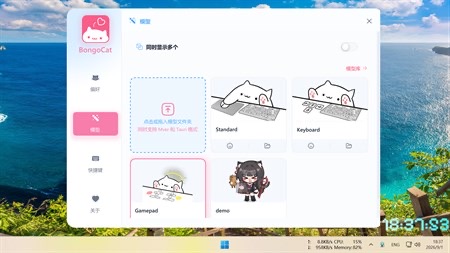
macOS
macOS builds are published on the same GitHub Releases page. Download the macOS package that matches your chip, then move the app into your Applications folder as usual. If Gatekeeper complains about an unidentified developer, that is standard for apps distributed outside the Mac App Store; verify you are on the official releases page before overriding it.
Linux
Linux users get the best support of any Bongo Cat here, because the vladelaina project publishes full build documentation for Debian and Ubuntu. The short version:
- Install the build tools and libraries listed in the README (
build-essential,cmake,ninjaand the SDL3/OpenGL dependencies). - Clone the repository and follow the Debian/Ubuntu build steps.
- Run the built binary; the cat sits on your desktop and reacts to your keyboard.
If the build fails, the troubleshooting page collects the common symptoms.
The other cats, briefly
- Steam game by Irox Games: free to play on the Steam store. Windows and macOS only. It has an item-drop economy on top of the same slap-the-keyboard joke.
- ayangweb/BongoCat: a separate open-source pet with its own model collection, popular for its clean Tauri-based build.
- bongo.cat: nothing to install, it runs in your browser.
For a deeper comparison of all of them, read which version is which, and check the safety page if keyboard-listening apps make you nervous.